HuggingChat Review
AI Chat & AssistantsAn open-source AI chat platform by Hugging Face. Try various open-source models.
Editor's Verdict
HuggingChat earns a 3.8/5 rating as one of the more capable options in the ai chat & assistants space. Its standout strength — completely free and open source — makes it particularly valuable when that capability matters most to your workflow. The main trade-off is not as accurate as gpt-4o or claude, which is worth weighing against the alternatives before committing. Because the free plan lets you validate fit without risk, there is very little downside to testing it first.
Table of Contents
What is HuggingChat?
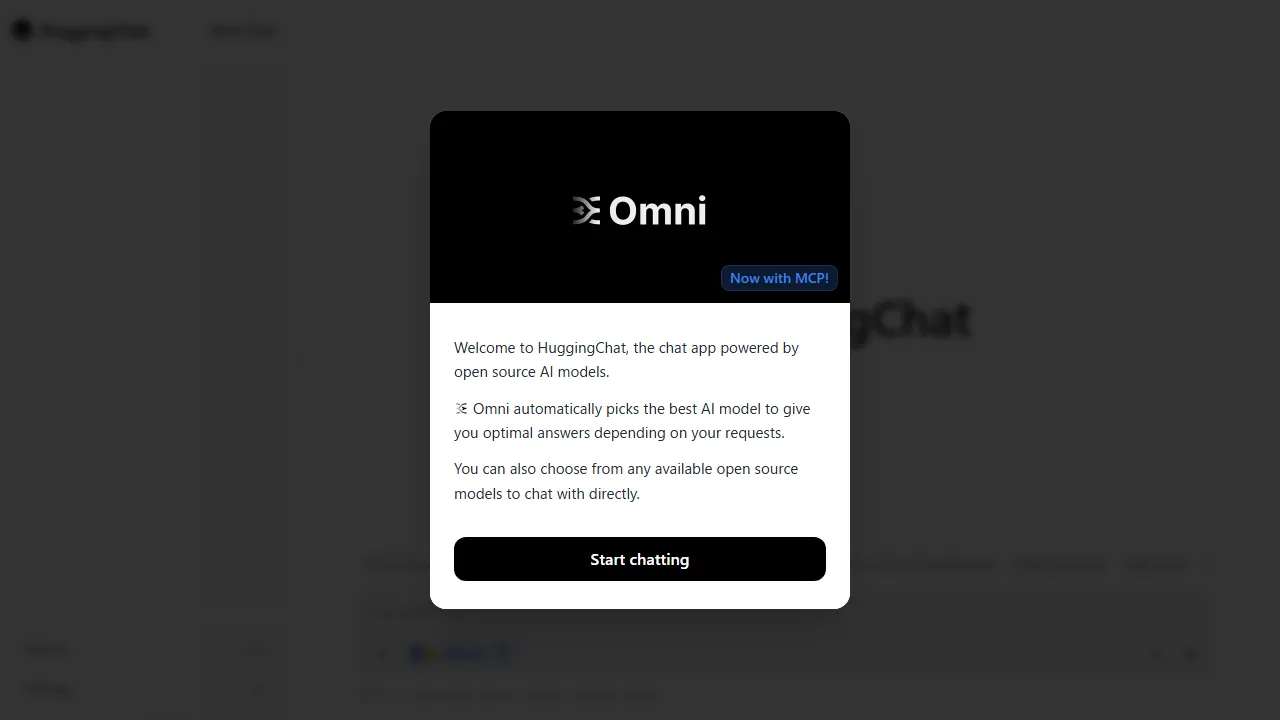
HuggingChat is an open-source AI chat platform provided by Hugging Face. You can switch between and use various open-source LLMs including Llama, Mistral, Qwen, and Command R+. Developed entirely as open source, it's popular among privacy-conscious users. It also supports web search integration and file uploads.
Who is HuggingChat for?
HuggingChat is best suited for individuals, writers, researchers, and teams who need a versatile conversational assistant for daily productivity. Its free plan lowers the barrier to entry, making it easy to evaluate before committing. A focused feature set centered on Multi-model and Web Search keeps the experience streamlined rather than overwhelming. Users frequently highlight one specific strength: completely free and open source.
Pricing plans & value for money
HuggingChat offers the following plans. Prices reflect the latest available information at the time of review and may change; always confirm on the official site before purchasing.
Key features & capabilities
Here is what HuggingChat brings to the table, ranked roughly by how central each capability is to the product experience.
Pros and cons
After evaluating HuggingChat against the rest of the ai chat & assistants field, these are the trade-offs that stood out in day-to-day use.
What we liked
- ●Completely free and open source
- ●Multiple open models available
- ●Privacy-focused
What could be better
- ●Not as accurate as GPT-4o or Claude
- ●Limited file analysis capabilities
- ●Basic UI
How to get started with HuggingChat
A practical, five-step path we recommend for anyone evaluating HuggingChat for the first time — designed to minimise wasted time and help you decide fast.
1Sign up for HuggingChat
Head to the official HuggingChat website and create an account. You can start with the free plan without entering payment details, which is ideal for testing how it fits your workflow.
2Set up your workspace
Install the app on web if a native client is available, or simply open it in your browser. Configure basic preferences such as language, notifications, and default output style so that subsequent runs feel consistent.
3Run your first task with Multi-model
Start with a small, low-stakes task to understand how HuggingChat responds. Write a clear prompt or input, review the output, and iterate. This low-risk exploration is the fastest way to build intuition for what the tool excels at.
4Integrate into your daily workflow
Once you know its strengths, introduce HuggingChat into one concrete workflow — not ten. Replace one existing step with it and measure the time saved or quality gained over a week before expanding usage further.
5Upgrade based on real usage
Rather than upgrading upfront, monitor which limits you actually hit (message count, output length, export features). Upgrade only when a specific limit blocks your productivity, not because the higher plan looks more attractive on paper.
Best HuggingChat alternatives
Not sure HuggingChat is the right fit? These comparable tools in the ai chat & assistants space are worth considering depending on your priorities.
Pi
An emotionally intelligent conversational AI assistant developed by Inflection AI.
Offers a slightly higher editorial rating. Best if you want completely free with no limits.
Grok
An AI chat assistant developed by xAI. Access real-time data from X (Twitter).
Offers a slightly higher editorial rating. Best if you want access to real-time x data.
Character.AI
An AI chat service specializing in character conversations. Chat with AI personas of all kinds.
Offers a slightly higher editorial rating. Best if you want huge library of available characters.
Frequently asked questions
Is HuggingChat free?+
Yes, all features are completely free to use.
Which models are available?+
The latest open-source models are available, including Llama 3, Mistral, Qwen, Command R+, and Gemma.
Ready to try HuggingChat?
Start with the free plan — no credit card required.
Start with HuggingChat →More AI Chat & Assistants Tools
ChatGPT
The world's most widely used conversational AI assistant developed by OpenAI. Powered by GPT-5.4 Thinking, it handles a broad range of tasks including text generation, coding, data analysis, and image/video creation.
Claude
An AI assistant developed by Anthropic with a focus on safety and accuracy. Features a 1-million-token context window and powerful analytical and coding capabilities with Claude Opus 4.6/Sonnet 4.6.
Gemini
A multimodal AI developed by Google DeepMind. Powered by Gemini 3.1 Pro/2.5 Flash, it comprehensively understands text, images, audio, and video, with deep Google product integration.
Copilot (Microsoft)
An AI assistant developed by Microsoft. Integrated into Windows, Edge, and Office products, it supports everything from everyday tasks to business productivity.
Poe
An AI chat platform by Quora. Access multiple AI models from a single app.
Character.AI
An AI chat service specializing in character conversations. Chat with AI personas of all kinds.
Reviewed by: AIpedia Editorial Team · Last updated: October 27, 2026 · Methodology: How we test & rate
This review reflects our editorial opinion based on hands-on testing, pricing verification, and cross-referencing with official documentation. We do not accept payment in exchange for favourable reviews. Read our full editorial policy.